NPC AI
And NPC (Non-Playable Character) refers to an human in the scenario that you can interact with.
This feature lets you configure NPC dialogues using AI. This feature will only work if you have NVIDIA RASA and RIVA installed. This feature is mostly a proof of concept and due to its heavy hardware requirements and difficulty to use with multiple trainings we don't recommend it for everyone.
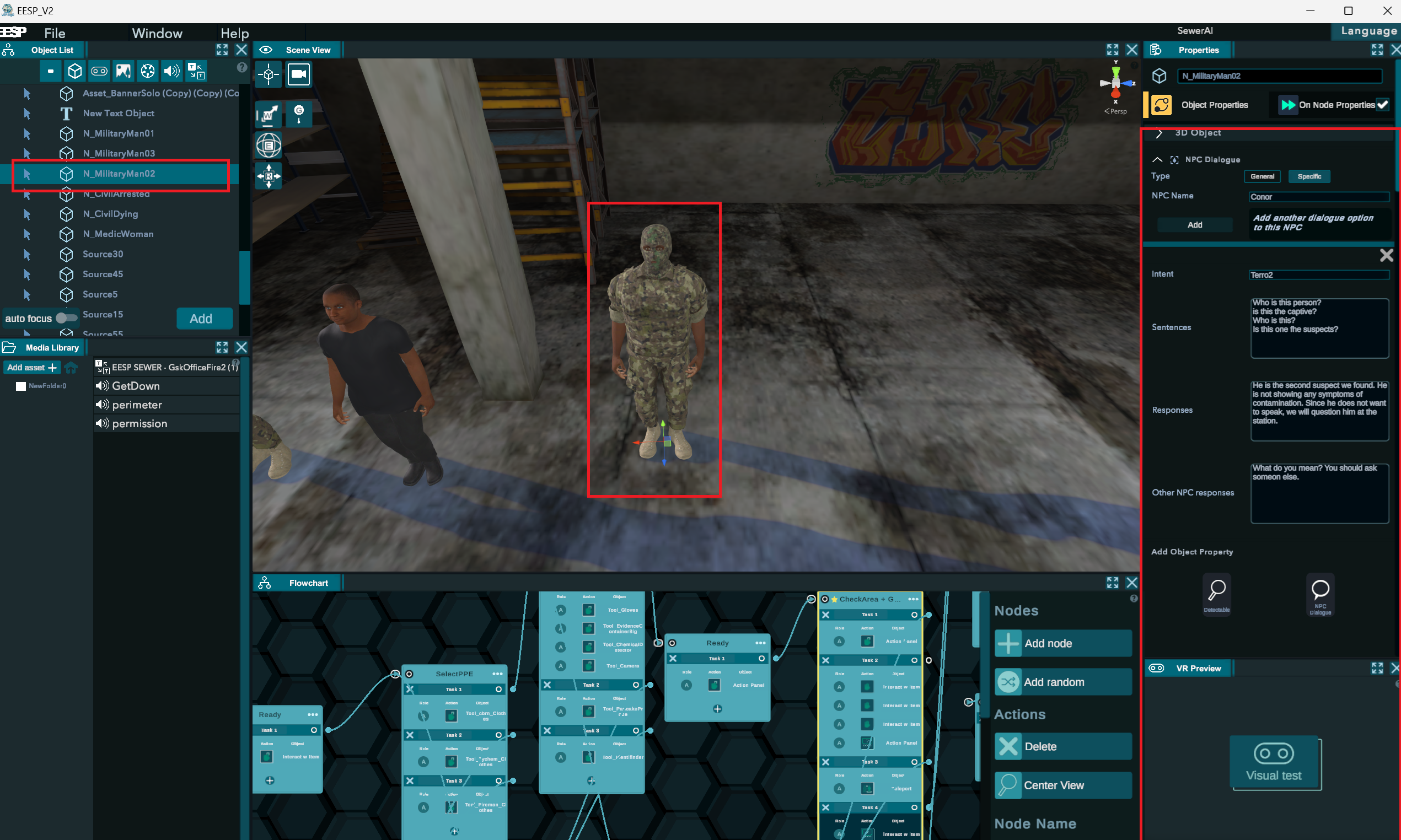
NPC Specific Dialogue
These dialogues will only activate when talking to the correct NPC.
- Select an NPC and open the Object Properties tab.
- Press the "NPC Dialogue" button if the NPC has no dialogue yet.
- Select "Specific"
- Give the NPC a unique name.
- Configure 1 dialogue interaction:
- Intent: A short unique text to name this dialogue (e.g. "greeting")
- Sentences: A list of sentences that will activate this dialogue. The AI will be trained to recognize these sentences. We recommend at least 5 sentences with some variety in vocabulary and structure.
- Responses: 1 or more possible responses the NPC will give.
- Other NPC responses (optional): What will be spoken if you start this dialogue with the wrong NPC (e.g. "Sorry, I cannot help you", "You should speak to the medic.")
You can create multiple NPC dialogues on 1 NPC.
NPC General Dialogue
These are simple dialogues shared across all NPC such as "hello" and "goodbye". While you can add these dialogues on a NPC you have selected, it might give a wrong impression that only that specific NPC will speak that dialogue. For that reason we recommend you create an new "Empty Object" in the Object List with the name "General Dialogue" and add these simple dialogues on that object.
Update the AI server.
After saving a training that uses AI, 5 files will be generated that the Nvidia RASA and RIVA system need to train using your dialogues.
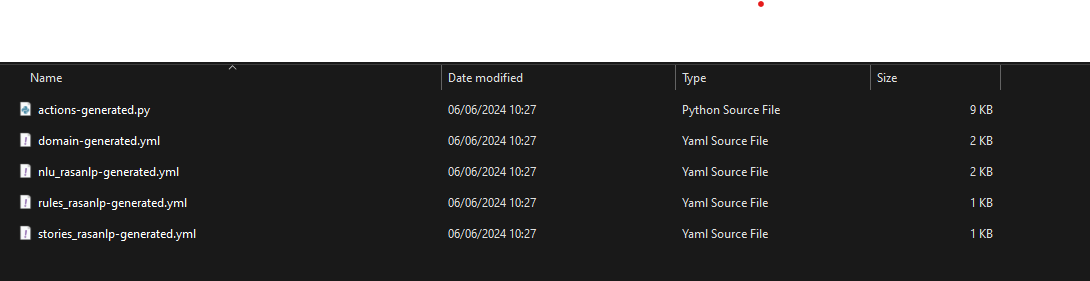 Copy these 5 files to your rasa_training_files folder where Nvidia RASA and RIVA are located. Double click the "run_ai.bat" script to start retraining the AI.